ZingaShop · Features
Catalog
Products, variants, bundles, subscriptions, categories and brands.
Overview
Model anything you sell
From simple products to configurable variants, bundles, digital goods, subscriptions and gift cards — organised with nested categories, brands, collections and reviews.
- Variants, bundles & digital goods
- Nested categories, brands & collections
- Customer reviews with media
 Placeholder
What's included
Inside Catalog
Flexible pricing
Price lists per currency & website, compare-at, quantity breaks.
Rich media
Hero, gallery & role-based media per product.
Reviews
Verified-buyer reviews with photos.
Watch it work
The whole catalog, one screen at a time
Ten recordings covering every part of the catalog: the product types and when each one is right, variants, the category tree, collections, brands, attributes, media, descriptions and bundles.
 1:25
1:25
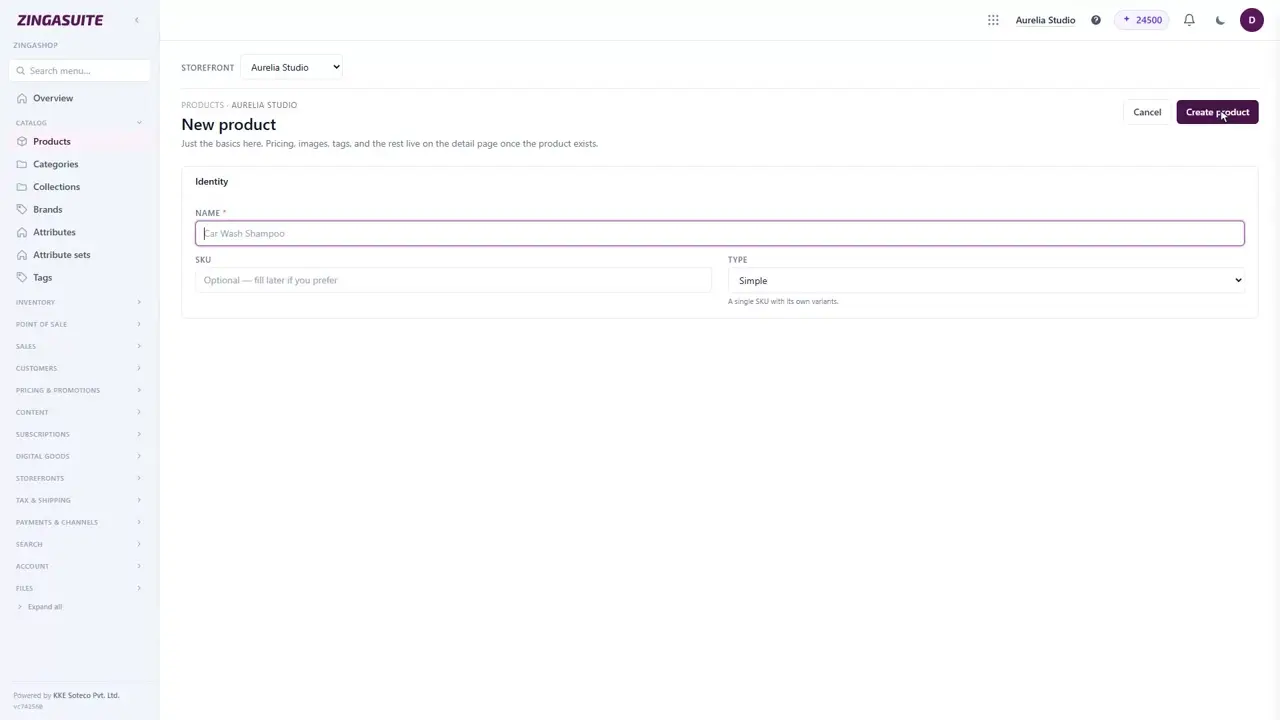
An empty catalog is the thing standing between you and your first sale. Here is how to put a product in it, and what the detail page expects once it exists.
 1:23
1:23
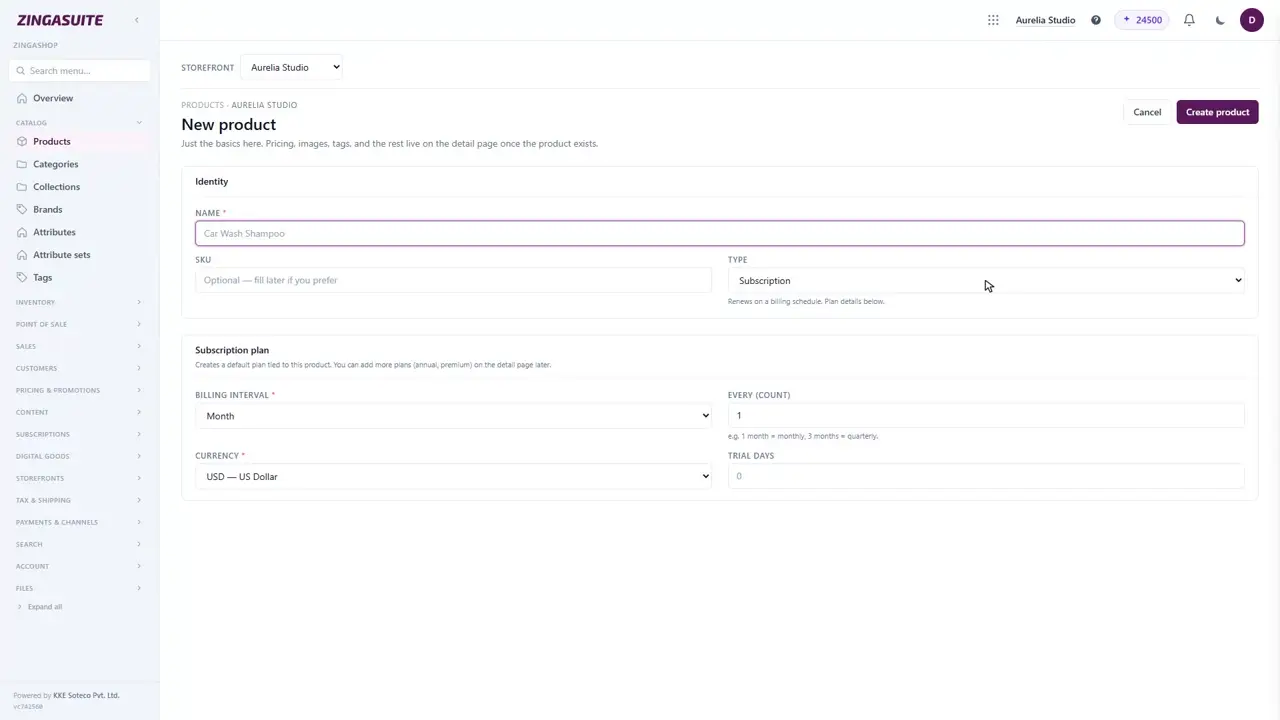
The six ZingaShop product types, and when to use each
Simple, configurable, bundle, digital, subscription, gift card. Picking the wrong one means rebuilding the product later, so here is what each one actually changes.
 1:15
1:15
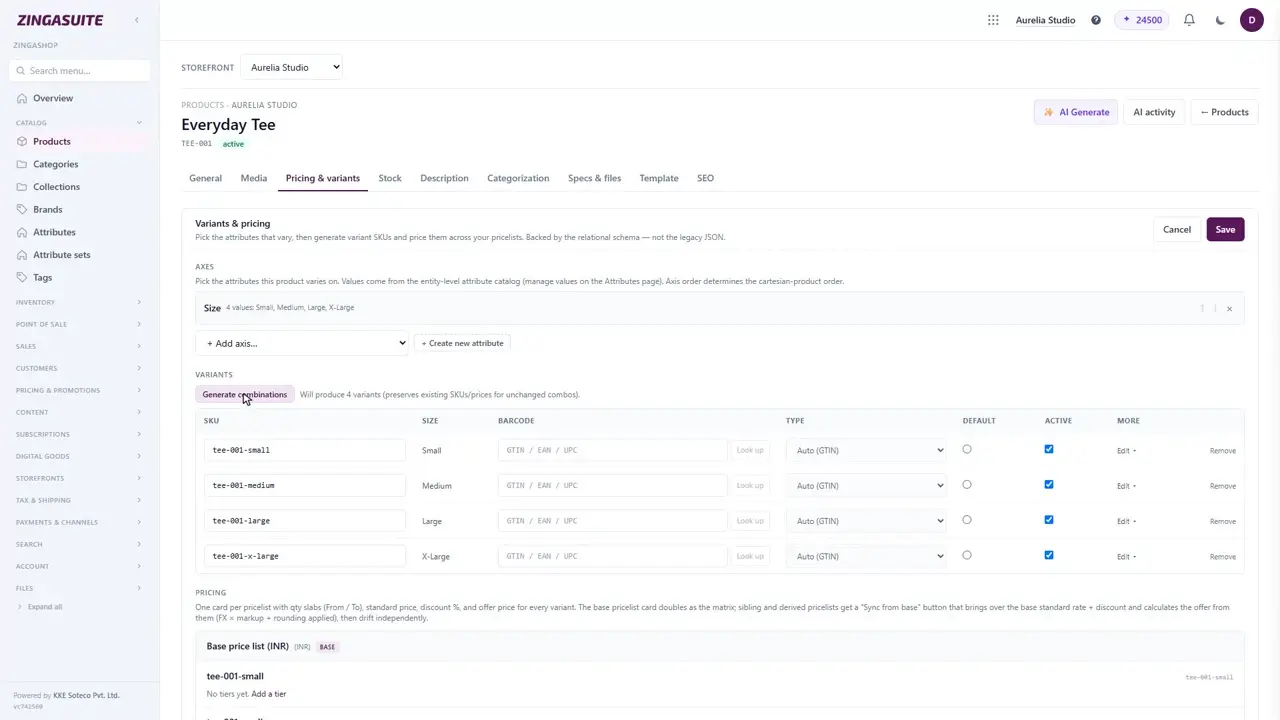
One product, several sizes: variants in ZingaShop
A jumper that comes in four sizes is one product, not four. Here is how configurable products work in ZingaShop — axes, generated SKUs, and a price per variant.
 1:32
1:32
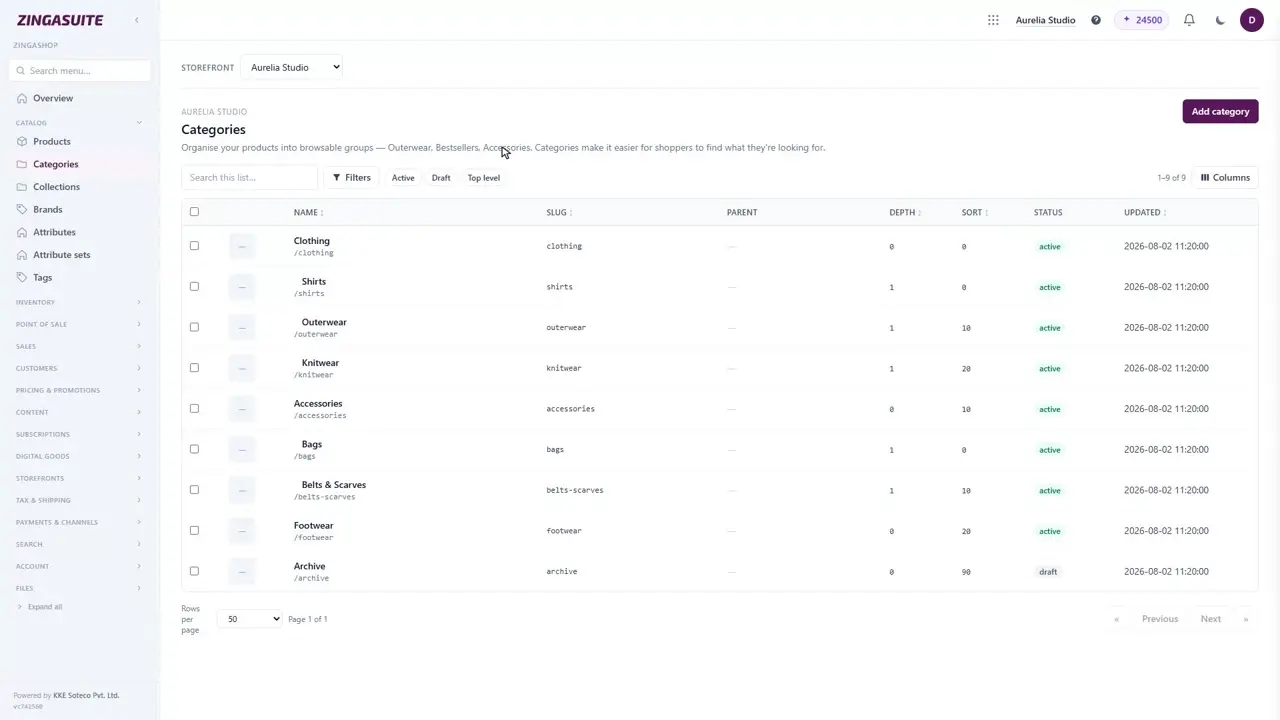
Categories and the category tree in ZingaShop
Categories are how shoppers find things when they do not already know what they want. Here is how the tree works in ZingaShop, and the two rules that catch people out.
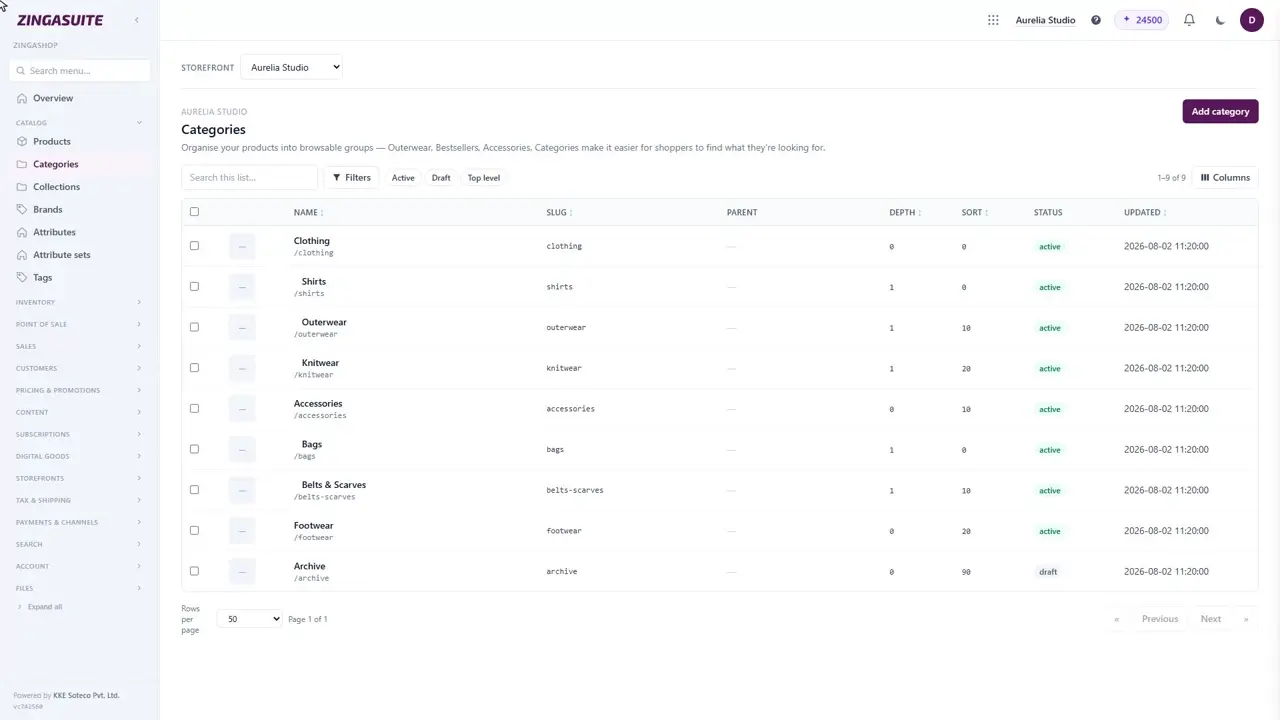 1:27
1:27
Collections vs categories in ZingaShop: which to use when
They look like the same feature and they are not. Categories are what a product IS. Collections are why you are showing it right now.
 1:20
1:20
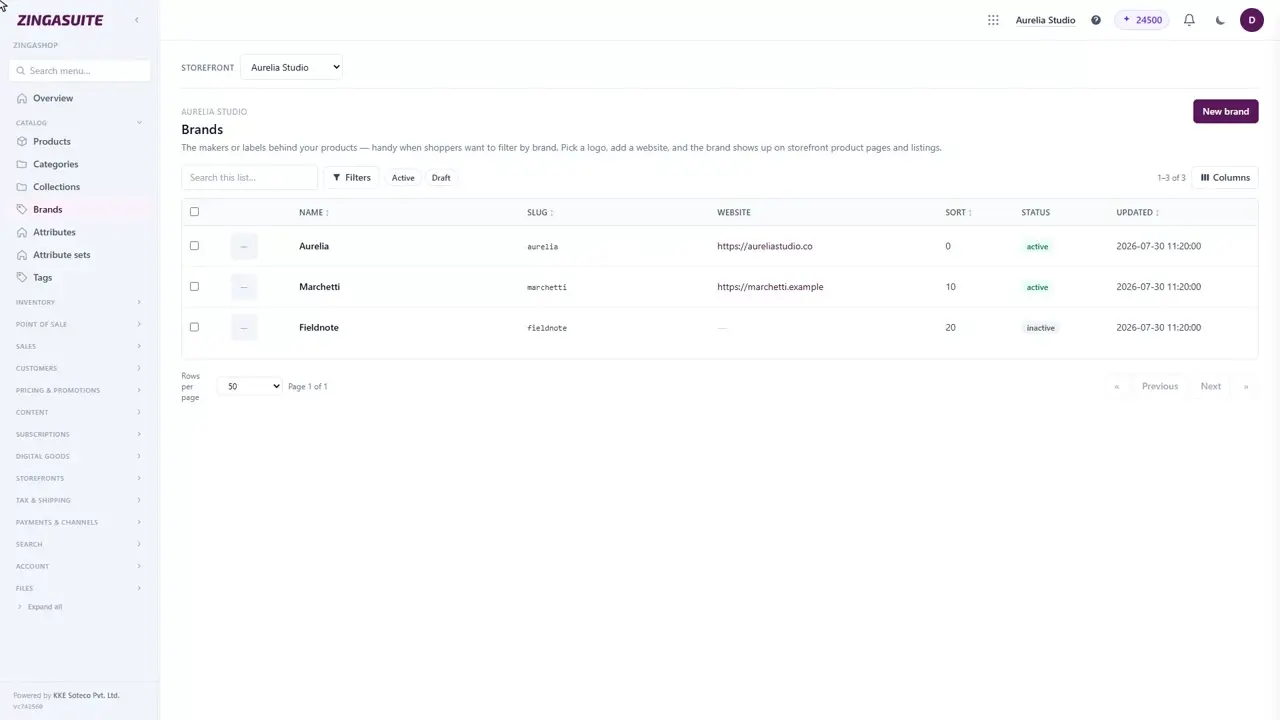
Brands and tags in ZingaShop
Two small features that quietly do a lot of work: brands give you a filter and a landing page per maker, tags give you a cross-cutting label that belongs to no hierarchy at all.
 1:37
1:37
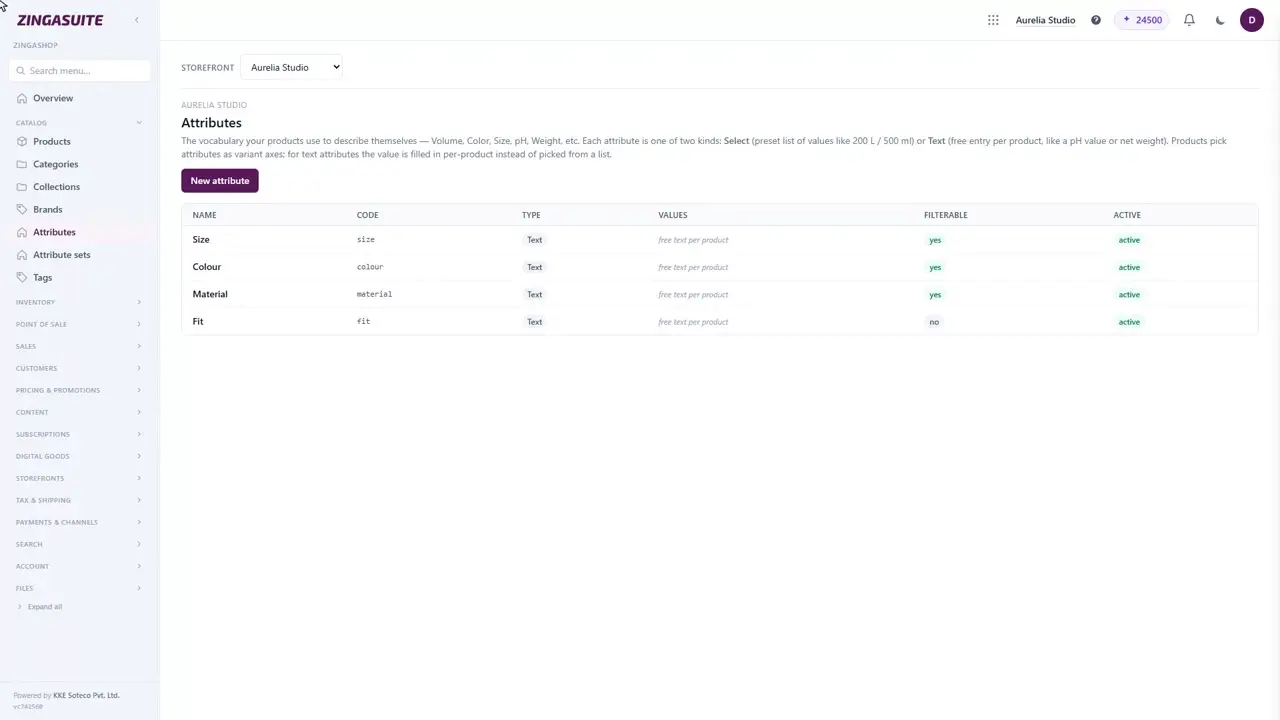
Attributes and attribute sets: how ZingaShop filters actually work
If your storefront filters are empty or wrong, this is almost always why. Attributes are the vocabulary your whole catalog shares, and getting them right is what makes filtering work at all.
 1:12
1:12
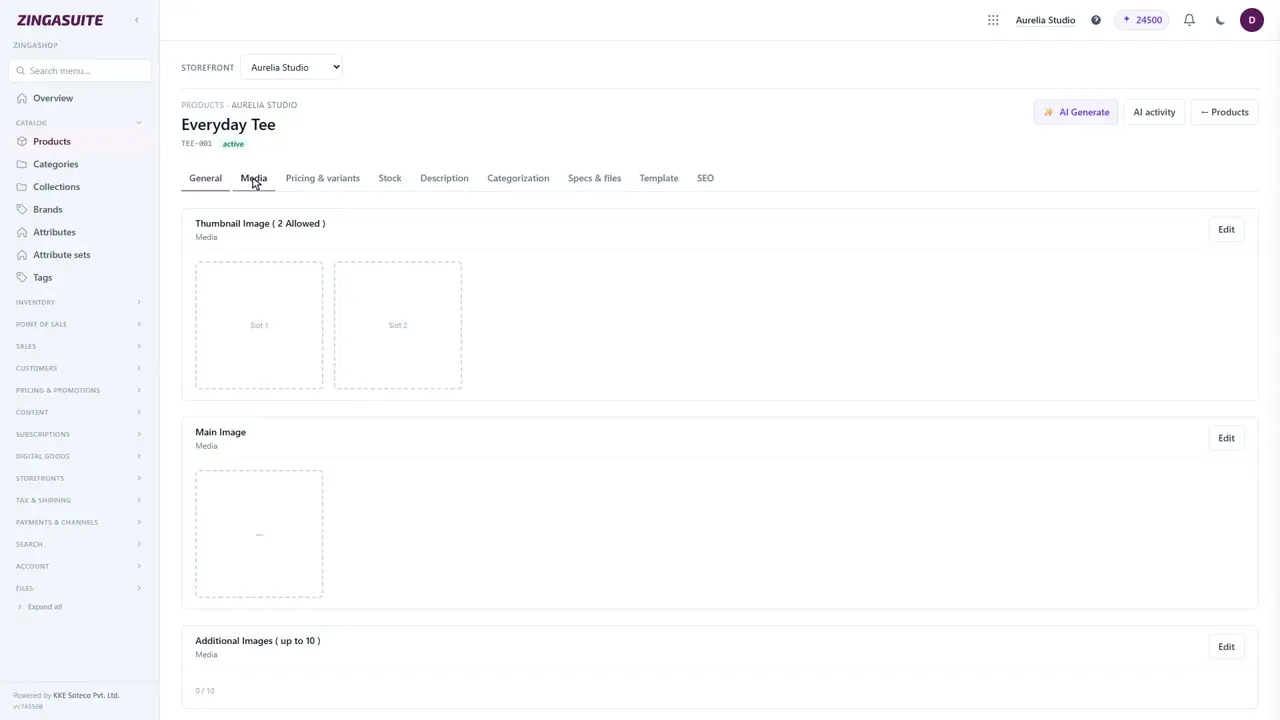
Product photos and media in ZingaShop
Photography sells the product; everything else on the page just confirms the decision. Here is how the Media tab works — the gallery, the order, and which image does which job.
 1:36
1:36
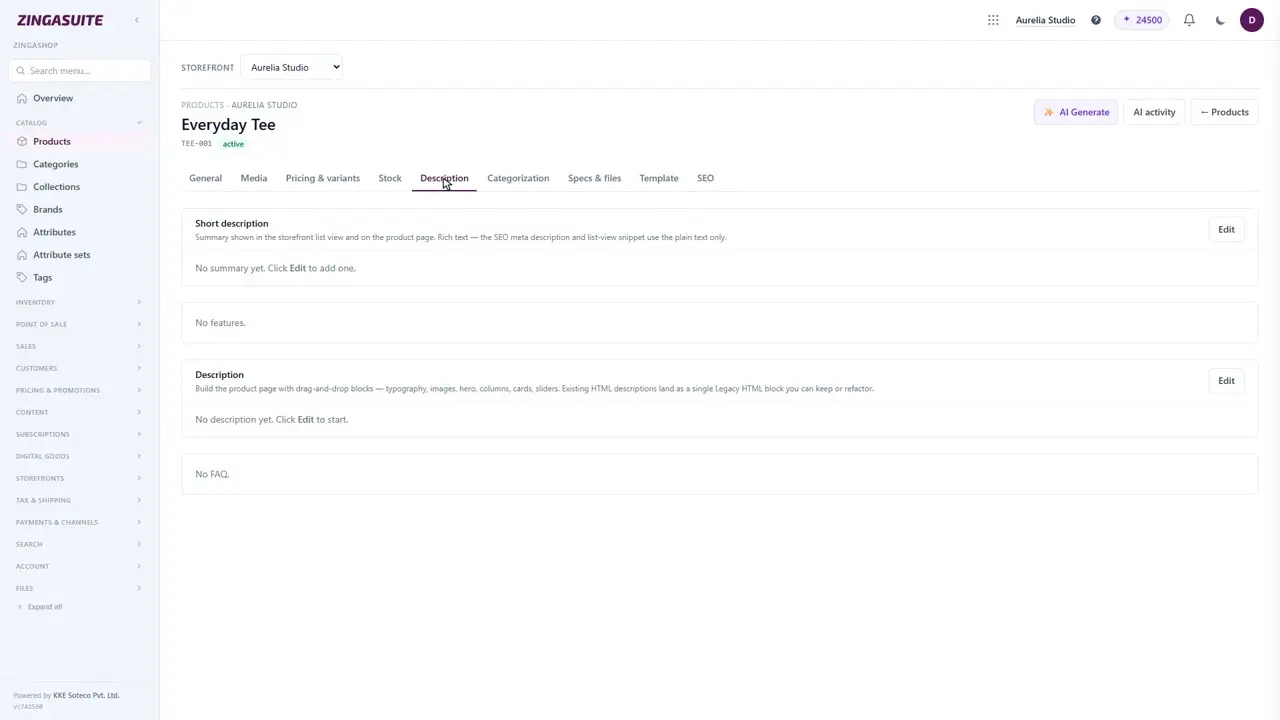
Product descriptions, specs and files in ZingaShop
The description persuades. The spec table answers. They are different jobs and ZingaShop keeps them on different tabs for a reason.
 1:18
1:18
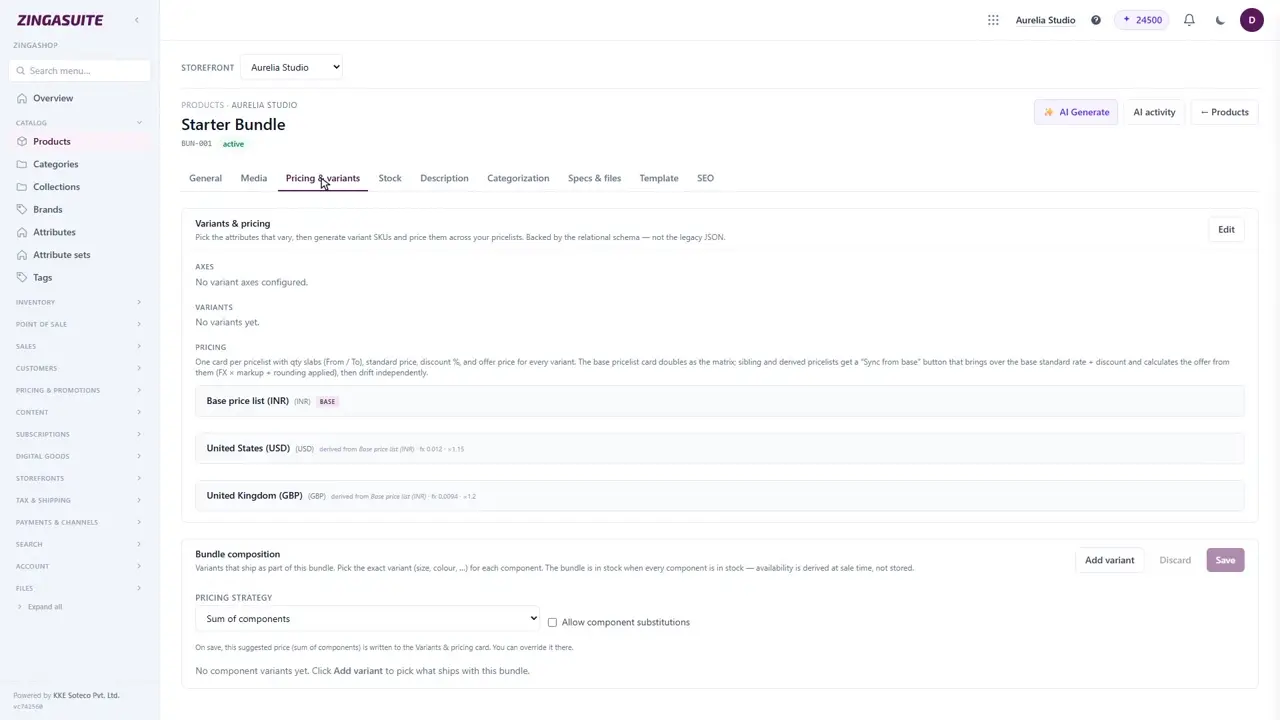
Bundles: sell several products as one in ZingaShop
A bundle is several products sold as a single line — a starter kit, a gift set, a buy-these-together offer. Here is how to build one and the three ways ZingaShop can price it.
Why it's different
Catalog, done right
Going deeper
Organise a catalog that scales
Group products into nested categories, brands and collections, attach role-based media, and expose customer reviews with photos — all reused across every storefront and channel.
- Nested categories, brands & collections
- Role-based product media (hero, gallery, swatch)
- Verified-buyer reviews with photos
 Placeholder
Step by step
How it works
Model the product
Pick a type — simple, variant, bundle, digital or subscription.
Add media & pricing
Upload media and set price lists per currency and website.
Categorise
File it under categories, brands and collections.
Ready to try ZingaShop?
Pick what you sell and we'll hand you a stocked, live storefront in a couple of minutes. It's part of the ZingaSuite platform — one login, one AI-credit pool.