ZingaShop · Features
Storefronts
Multiple websites, each with its own domain, currency and locale.
Overview
One catalog, many storefronts
Spin up a store per brand, market or language — each with its own domain(s), currency, locale, timezone and theme, all served from one catalog.
- Custom domains via Cloudflare for SaaS
- Per-store currency, locale & tax
- Draft/preview before you go live
 Placeholder
What's included
Inside Storefronts
Own domain
Bring any domain; TLS handled at the edge.
Blazing fast
Server-rendered, edge-cached HTML.
Shared catalog
Edit once, publish to every store.
Watch it work
From empty account to live storefront
The whole setup path, recorded end to end: the wizard, your own domain, and the branding that makes it look like your business.
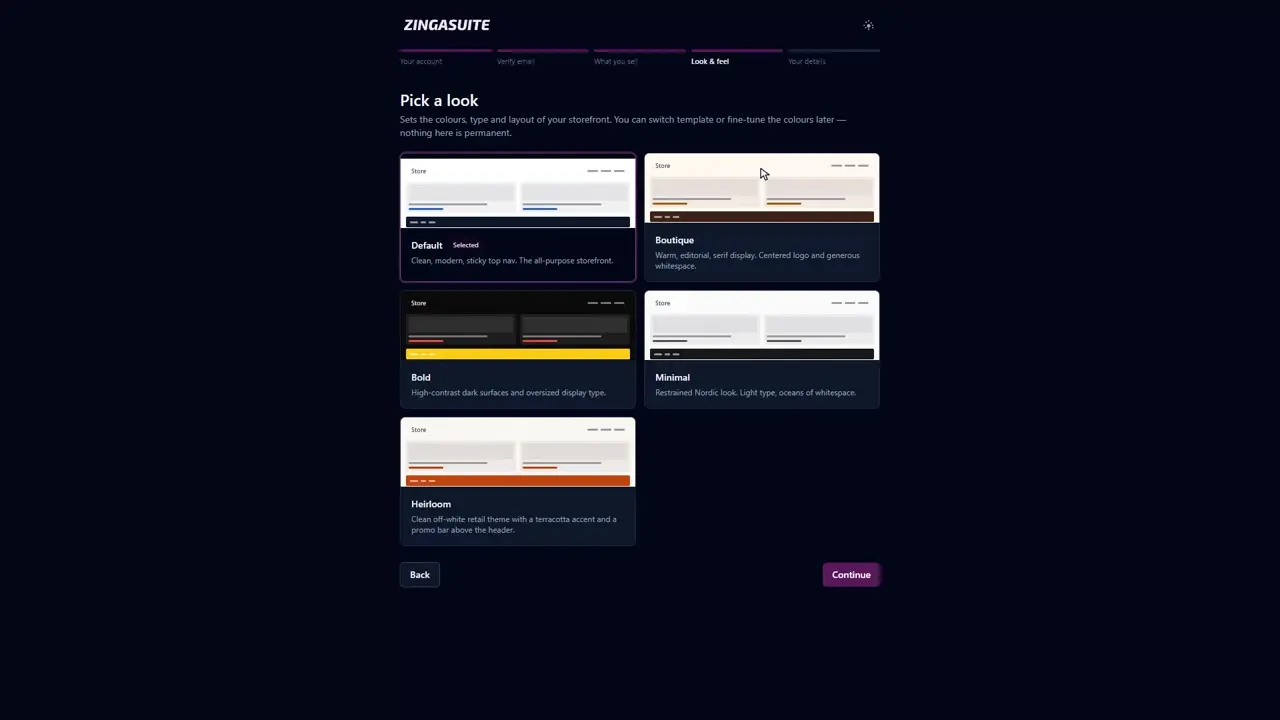 2:02
2:02
Setting up an online store sounds like a weekend job. It is a short form. This is the whole ZingaShop setup wizard, start to finish, ending on a storefront that is live.
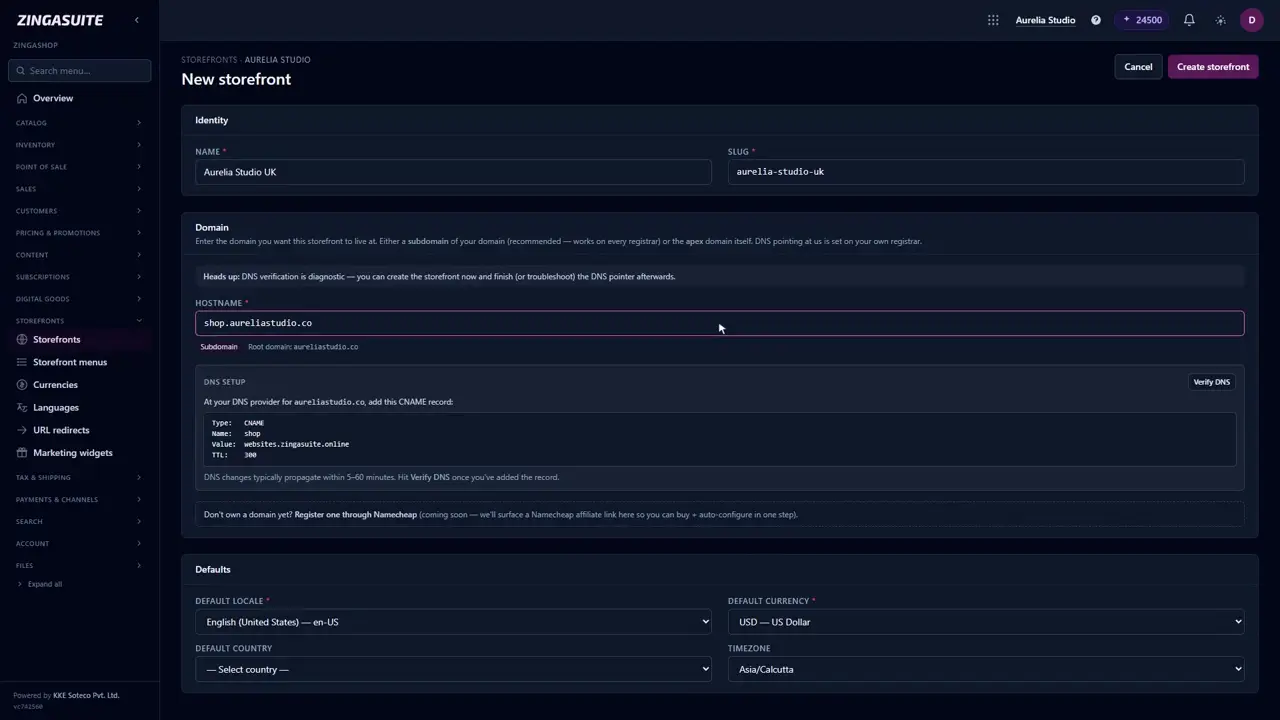 1:58
1:58
Connect your own domain to your ZingaShop storefront
Your shop starts on a free myzinga.shop address. Here is how to move it onto a domain you own — the exact CNAME record, where it goes, and how to check it landed.
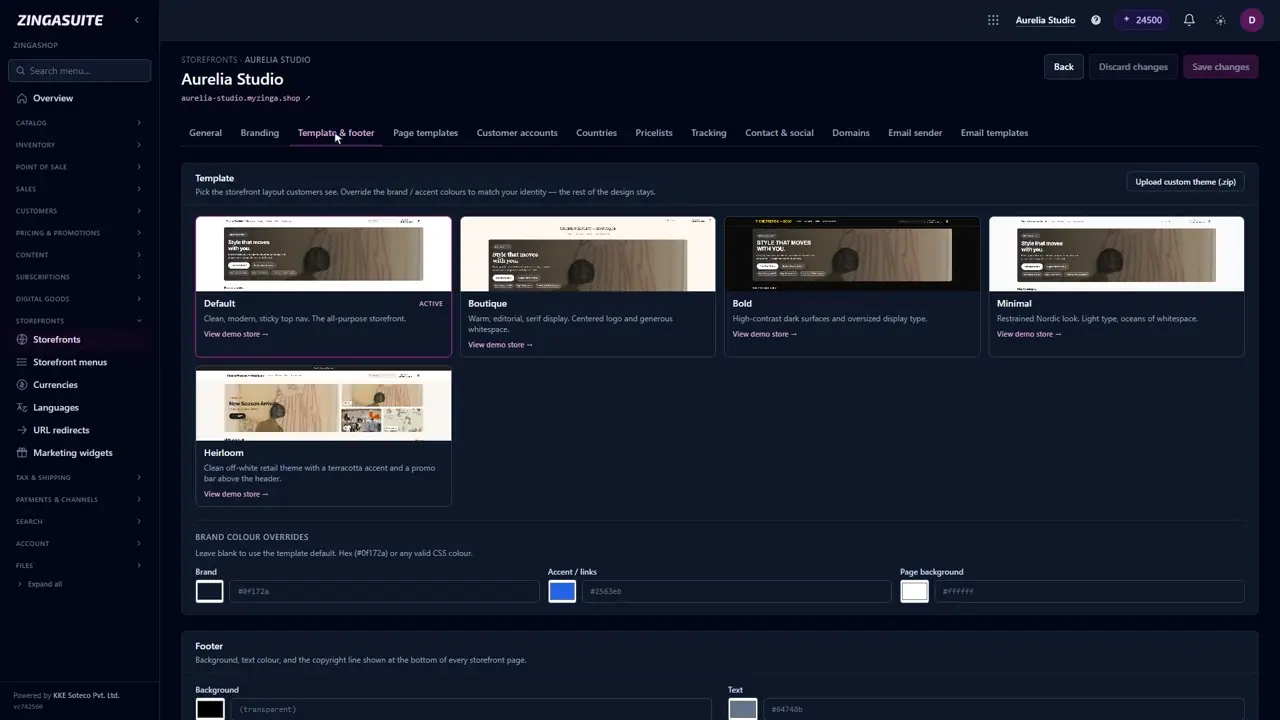 1:40
1:40
Brand your ZingaShop storefront: logo, colours and type
A new storefront looks like everybody else's storefront. Ten minutes on logo and colours is the cheapest upgrade yours will ever get.
Why it's different
Storefronts, done right
Going deeper
Launch a new store in minutes
Every store is born with a free web address — we create its DNS record for you, so it resolves the moment the wizard finishes. Bring your own domain whenever you're ready, pick a currency and locale, and preview privately before flipping it live. Each store keeps its own tax, shipping and content while drawing from the shared catalog.
- A free, live address on day one — DNS created for you
- Bring your own domain via Cloudflare for SaaS
- Per-store theme, tax and shipping rules
 Placeholder
Step by step
How it works
Create a store
Name it, pick a currency, locale and timezone.
Connect a domain
Point any domain; TLS is issued automatically.
Publish
Preview privately, then go live in one click.
Ready to try ZingaShop?
Pick what you sell and we'll hand you a stocked, live storefront in a couple of minutes. It's part of the ZingaSuite platform — one login, one AI-credit pool.